
What Does The Green Dot Mean On Snapchat? Fully Explained 2026 Update
You see a small green dot beside someone’s Snapchat avatar. Naturally, you wonder: are they online right now, or did they just open the app earlier?
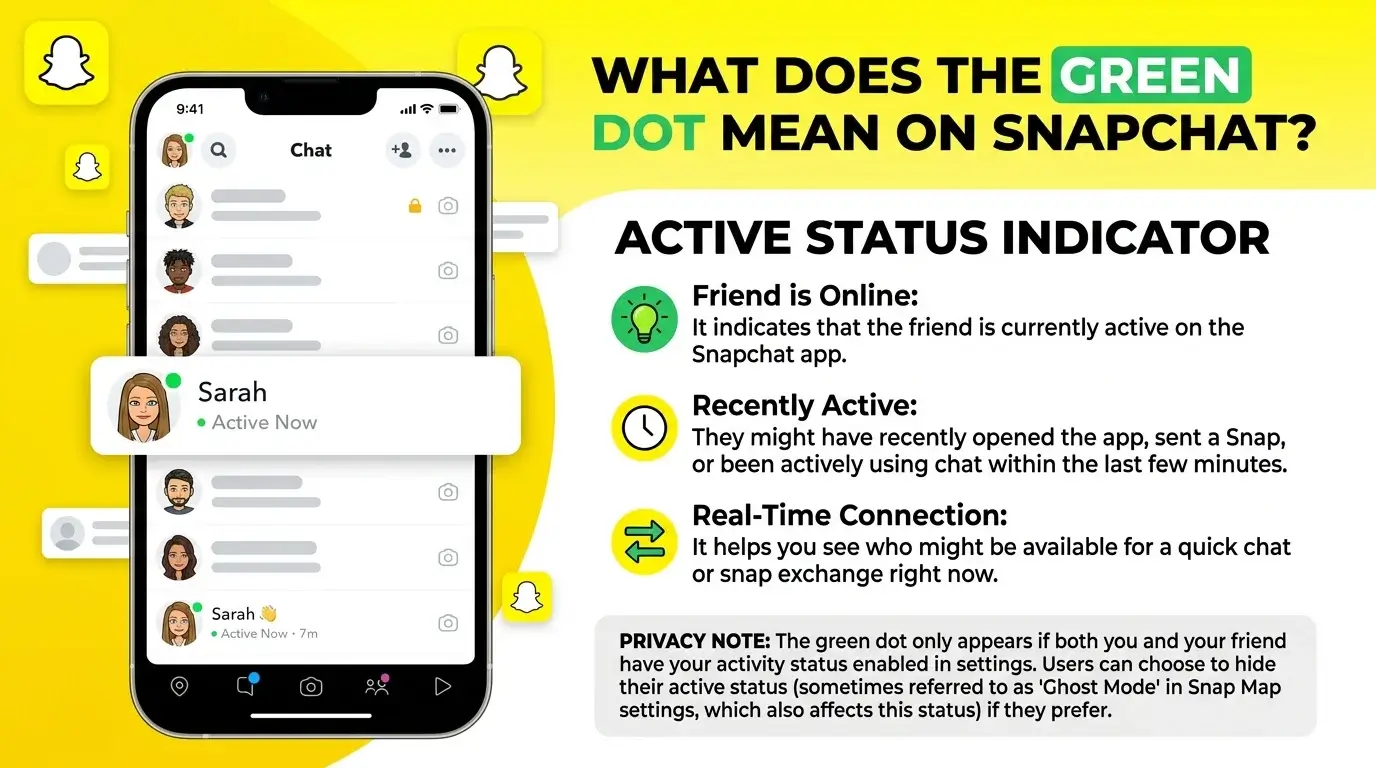
The green dot on Snapchat usually means the person has been active on Snapchat recently. It does not always mean they are currently online, reading chats, or available to reply. Snapchat uses it as an Activity Indicator, not a perfect live status tracker.
That difference matters. A green dot can tell you someone has used Snapchat recently, but it cannot tell you what they were doing, who they were talking to, or why they have not answered your message.
This article explains what the green dot means on Snapchat, whether it means someone is online right now, and why it may appear near a friend’s avatar. It also covers how to turn the Activity Indicator off, how it differs from the green dot on your phone’s camera screen, and what it means for privacy.
This guide explains what the green dot means, where it appears, how accurate it is, and how to turn it off if you want more privacy.
What Is The Green Dot On Snapchat?
The green dot on Snapchat is an Activity Indicator. It appears near a user’s avatar or Bitmoji to show that the person has been active on Snapchat recently.
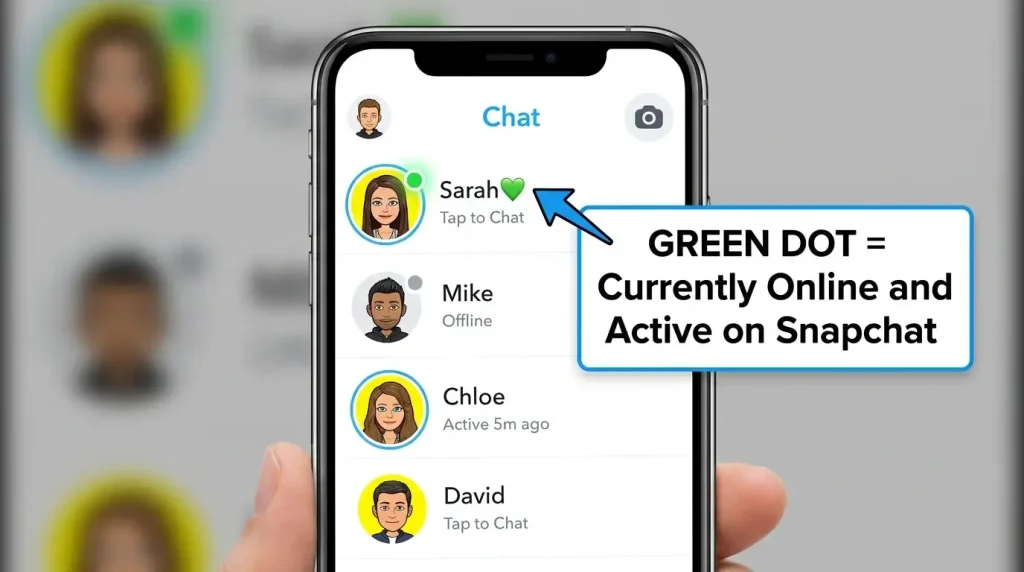
It is easy to confuse this with a live “online now” status, but that is not the safest way to read it. The green dot is better understood as a recent activity signal.
In simple terms:
The green dot does not show exactly what someone is doing. It does not tell you whether they are chatting, watching Stories, using the camera, checking memories, or closing the app after a quick look.
It only gives a small clue that Snapchat has recently detected activity from that account. For more Snapchat symbols, rankings, and hidden feature explanations, our Snapchat feature guides can help you understand how these signals fit into the wider app experience.
Does The Green Dot Mean Someone Is Online Right Now?
No, not always.
The green dot can mean someone opened or used Snapchat recently, but it does not guarantee they are online at that exact second. Someone may have checked the app quickly, closed it, locked their phone, or moved to another app while the green dot still appears.
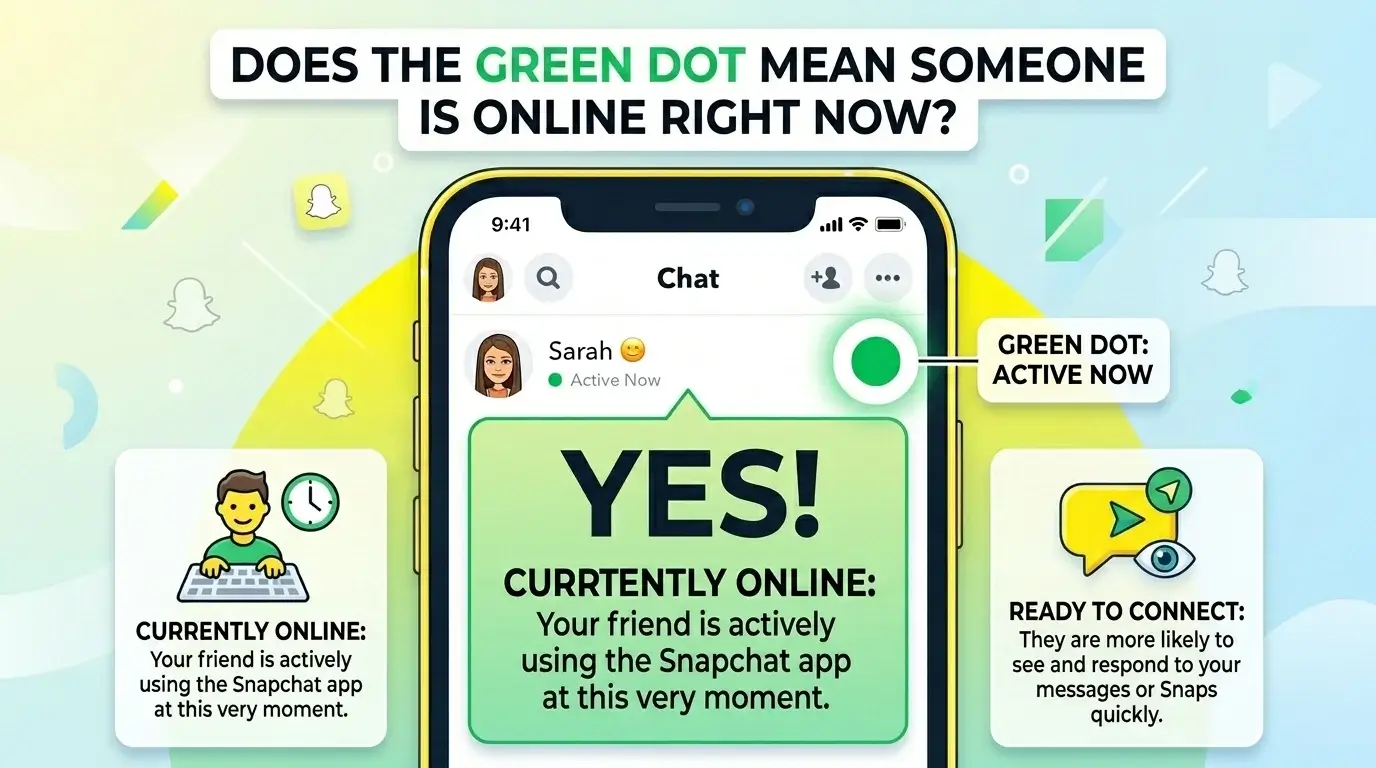
This is why the green dot should not be used as proof that someone is ignoring you.
For example, a person might have:
Snapchat activity and personal availability are not the same thing. A person can be active on the app without being ready to hold a conversation.
What Counts As Recent Activity?
Snapchat does not publicly list every action that can trigger the green dot. The most accurate explanation is that recent activity means the person has used Snapchat recently in a way the app recognizes.
That may include opening the app, viewing content, checking profiles, using the camera, interacting with chats, or browsing Snapchat features.
Because Snapchat does not give users a public minute-by-minute timer for the Activity Indicator, you should avoid assuming an exact duration. The green dot is a general signal, not a stopwatch.
A useful way to think about it:
The green dot tells you someone has been around recently. It does not tell you what they did, how long they stayed, or whether they are still there.
Where Does The Green Dot Appear On Snapchat?
The green dot can appear near a user’s avatar or Bitmoji in places where Snapchat displays profiles, friends, or suggested accounts.
You may see it in areas such as:
The exact placement can change as Snapchat updates its design. App layout may also differ slightly between devices, regions, and versions.
Still, the meaning remains the same: the person has been active on Snapchat recently, unless they have turned off the Activity Indicator. If you are comparing Snapchat’s visual indicators, you may also want to understand what the purple circle on Snapchat means when it appears around Stories.
Why Did Snapchat Add The Activity Indicator?
Snapchat is built around quick interaction. Snaps, chats, Stories, Streaks, Bitmojis, and Snap Map all encourage fast, casual communication.
The Activity Indicator supports that behavior by giving users a small hint that someone has been active recently. If you see a green dot near a friend’s avatar, you may feel more comfortable sending a Snap or starting a conversation.
For Snapchat, this keeps the app feeling alive. For users, it can be helpful when they want to know whether an account is still active.
But the feature has a downside: it can create pressure. If someone sees your green dot, they may expect a quick reply. That is one reason many users choose to turn it off.
Can The Green Dot Be Wrong Or Inaccurate?
Yes, the green dot can feel inaccurate because it is not a real-time tracking tool.
It may still appear after someone has stopped using Snapchat. It may also fail to appear in some situations, especially if the person has disabled the Activity Indicator or Snapchat has not refreshed the status yet.
The green dot may seem confusing because:
So yes, the green dot can be imperfect. It is useful as a light activity clue, but it should not be treated as proof of someone’s current behavior.
Who Can See Your Green Dot On Snapchat?
Other Snapchatters may be able to see your green dot in areas where Snapchat shows your avatar or account activity, depending on your settings and how Snapchat displays the feature.
The green dot does not reveal private details such as:
It only suggests that you have been active recently.
Still, that can be enough to bother some users. If you do not want people making guesses about when you use Snapchat, turning off the Activity Indicator is the best choice.
How To Turn Off The Green Dot On Snapchat
You can remove the green dot by turning off Snapchat’s Activity Indicator.
Here is how to do it:
- Open Snapchat.
- Tap your profile icon.
- Tap the gear icon to open Settings.
- Scroll to the App & Privacy section.
- Tap My Privacy & Data.
- Scroll to Privacy Choices.
- Tap Activity Indicator.
- Toggle it off.
After you turn it off, Snapchat should stop showing your green Activity Indicator to others.
If you do not see the option, update Snapchat and check again. Some settings can appear in slightly different places depending on your device, country, or app version.
Why Do People Turn Off The Activity Indicator?
People usually turn off the Activity Indicator because they want to use Snapchat without creating expectations.
A green dot can be harmless, but it can also make people feel watched. Someone might see your dot and assume you are available, even if you only opened the app for a few seconds.
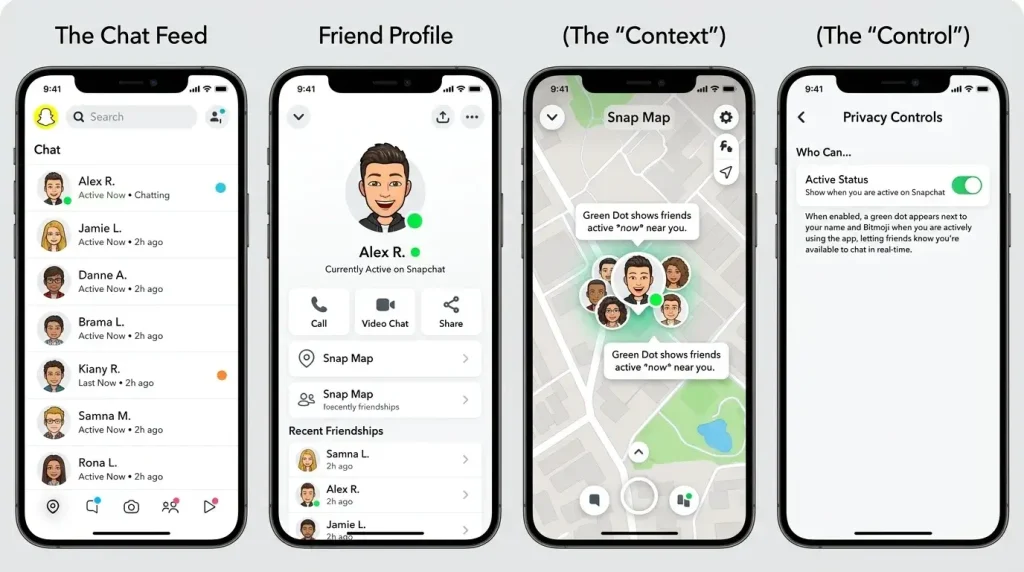
Users often turn off the green dot to:
- Use Snapchat more privately
- avoid pressure to reply quickly
- stop others from checking their activity
- reduce social misunderstandings
- Browse stories without feeling visible
- keep better boundaries
- avoid drama over “you were online” assumptions
Turning it off does not hide everything you do on Snapchat. It simply removes one activity signal that other people may use to guess when you were recently active.
What Is The Green Dot On Snapchat’s Camera Screen?
This is a different green dot.
If you see a green dot at the top of your phone screen while using Snapchat’s camera, that is usually your phone’s camera or microphone privacy indicator. It is not the same as the green dot near someone’s Snapchat avatar.
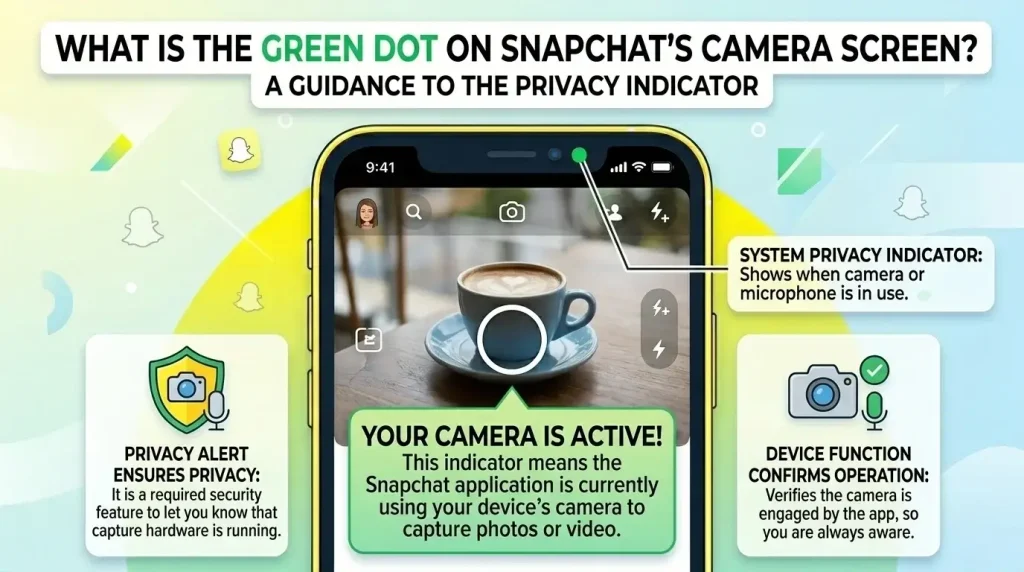
There are two common green dots that people confuse:
| Green Dot Type | Where It Appears | What It Means |
| Snapchat Activity Indicator | Near a friend’s avatar or Bitmoji | The person was active on Snapchat recently |
| Phone privacy indicator | At the top of your iPhone or Android screen | An app is using the camera or the microphone |
Snapchat is a camera-based app, so seeing a phone-level green dot while using Snapchat’s camera is normal.
If the green dot appears when you are not using the camera, check your phone’s privacy controls. Your phone may show which app is using camera or microphone access.
Green Dot On Snapchat vs Other Apps: How They Compare
Green dots do not mean the same thing on every app. That is why Snapchat’s version confuses.
Here is a simple comparison:
| Platform | What the Green Dot or Status Usually Means | How to Read It |
| Snapchat | Active recently | Not always online right now |
| Active now or recently active, depending on settings | Closer to social activity status | |
| Messenger | Active or recently active | Often treated as an online status |
| Uses “online” and “last seen” instead of a green dot | More direct when visible | |
| iPhone status bar | A camera or a microphone is being used | Phone privacy indicator |
| Android status area | A camera or a microphone is being used | Phone privacy indicator |
The safest way to read Snapchat’s green dot is this: it shows recent app activity, not guaranteed real-time availability.
Does Turning Off The Green Dot Hide Your Activity Completely?
No. Turning off the green dot only hides the Activity Indicator.
It does not make you invisible on Snapchat. Other actions may still be visible depending on your privacy settings and how you use the app.
People may still see things like:
- opened Snaps
- viewed Stories
- chat replies
- typing indicators
- Story interactions
- Snap Map location, if enabled
- Snapchat+ presence-related features
- public profile activity, if applicable
For better privacy, review more than one setting.
Useful Snapchat privacy areas to check include:
- Activity Indicator
- See My Location
- View My Story
- Contact Me
- Quick Add visibility
- Public Profile settings
- Story replies
- camera and microphone permissions on your phone
Turning off the green dot is a good start, but it is not a full privacy shield.
Can You See Someone’s Green Dot If They Turned It Off?
No, not reliably.
If someone turns off their Activity Indicator, Snapchat should stop showing their green dot in the usual places. You cannot force the app to show it if they have disabled it.
A missing green dot could mean several things:
- They turned off the Activity Indicator
- They have not used Snapchat recently
- Snapchat has not refreshed the status
- Your app version is not showing it
- The feature is not visible on that screen
- There is a temporary app issue
Do not assume one explanation. A missing green dot does not always mean someone is offline, hiding, or avoiding you.
Is The Green Dot A Privacy Risk On Snapchat?
The green dot is not a serious security risk by itself, but it can affect social privacy.
It does not reveal your exact actions. It does not show your chats, camera roll, location, or message history. But it can tell people that you have been active recently.
That can lead to awkward assumptions.
For example, someone may think:
- “They were active but did not reply.”
- “They opened Snapchat late at night.”
- “They are using the app but ignoring me.”
- “They must have seen my message.”
Those assumptions may be wrong. The green dot does not prove any of them. But if you do not want people to guess your activity, turn it off.
Privacy is not only about hiding sensitive data. Sometimes it is about reducing unnecessary visibility.
Does The Green Dot Appear For Snapchat Plus Users?
The normal green dot is not only for Snapchat Plus users. It is part of Snapchat’s Activity Indicator feature.
Snapchat Plus does include extra social and friend-related features. Some features may give subscribers more signals, such as seeing when a friend is present in a chat. That is separate from the basic green dot near an avatar.
So the simple answer is:
Snapchat Plus does not change the basic meaning of the green dot. The green dot still means recent Snapchat activity, unless the user has turned it off. For a full breakdown of premium tools, badges, and friend-related options, read our guide to Snapchat Plus features.
Frequently Asked Questions
Final Thoughts
The green dot on Snapchat means someone has been active recently. It does not always mean they are online right now, watching your messages, or choosing not to reply.
Use it as a small clue, not a final answer.
If you like knowing when friends have been active, leave it on. If it makes Snapchat feel too visible, turn off the Activity Indicator and review your other privacy settings too.