
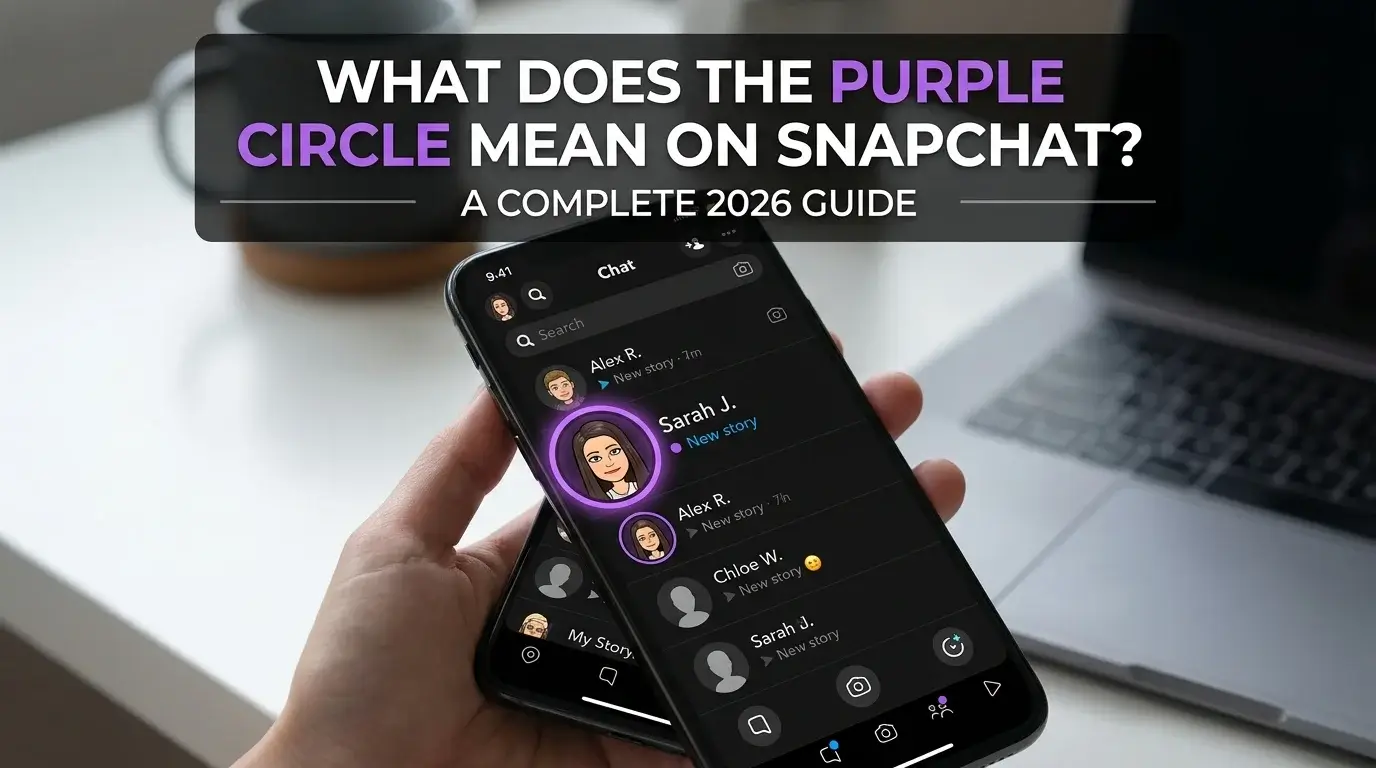
What Does the Purple Circle Mean on Snapchat? Full 2026 Guide
You open Snapchat and notice a purple circle around someone’s Bitmoji. No clear label. No explanation. Just a purple ring sitting there, making you wonder what it means.
The simple answer: the purple circle on Snapchat usually means there is a Story you have not watched yet. It often appears around a friend’s Bitmoji, profile, or Story preview when they have posted something new.
But the meaning can change slightly depending on where you see it. A purple circle with a lock is different from a plain purple circle. A purple circle is also different from a purple square in Chat.
This guide explains what the purple circle means on Snapchat, what it does not mean, and how to understand it without guessing.
Quick Answer: What Does the Purple Circle on Snapchat Mean?
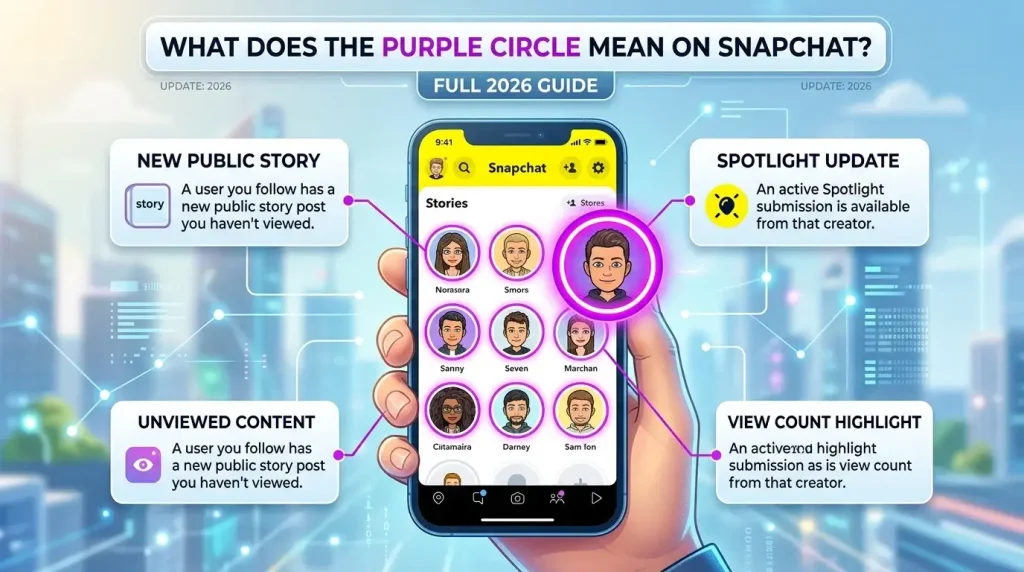
The purple circle on Snapchat usually means someone has posted a Story that you have not viewed yet. When you tap the purple circle, Snapchat normally opens that Story or takes you to the person’s profile where the Story can be viewed.
In most cases, it does not mean:
- Someone is online
- Someone sent you a private message
- Someone added you
- Someone blocked you
- Someone is typing
- Someone is watching your profile
The purple circle is mainly a visual Story indicator. It tells you there is something new to watch.
What Is the Purple Circle on Snapchat?
The purple circle is a colored ring Snapchat uses around certain profile icons, Bitmojis, or Story previews. It helps you quickly spot fresh Story content.
Instead of writing “new Story” under every profile, Snapchat uses visual colors and shapes. The purple ring catches your attention and shows that there is a new or unviewed Story connected to that account.
If you are learning Snapchat icons, colors, and features like Snapchat Planets, this purple ring is one of the easier symbols to understand. In most places, it simply means there is a new or unviewed Story connected to that account.
A good way to understand it:
| Snapchat Symbol | Basic Meaning |
| Purple circle | New or unviewed Story |
| Purple circle with lock | Private Story you can view |
| Grey circle | The story may already be viewed or inactive |
| Purple square | Snap with video/audio in Chat context |
The key is context. A purple ring around a profile usually points to a Story. A purple square inside Chat usually points to a Snap.
Does the Purple Circle Mean Someone Posted a Story?
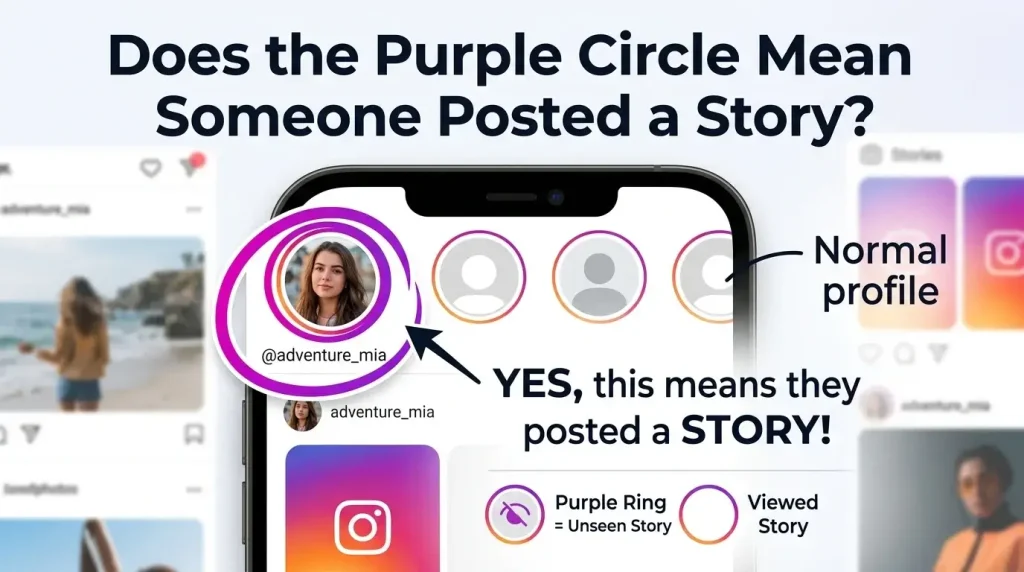
Yes, most of the time, the purple circle means the person has posted a Story you have not watched yet.
This Story could be from:
Once you watch the Story, the purple circle may disappear or change color. If it stays visible, the Story may still have more Snaps inside, or Snapchat may need a moment to refresh.
The purple circle does not tell you exactly when the Story was posted. It only helps you notice that there is something available to view.
What Does the Purple Circle Around a Bitmoji Mean?
A purple circle around a Bitmoji usually means that person has a Story available for you to watch. Snapchat places the ring around the Bitmoji to show that the profile has new Story content.
This can appear in different parts of the app, such as Stories, Quick Add, or profile previews.
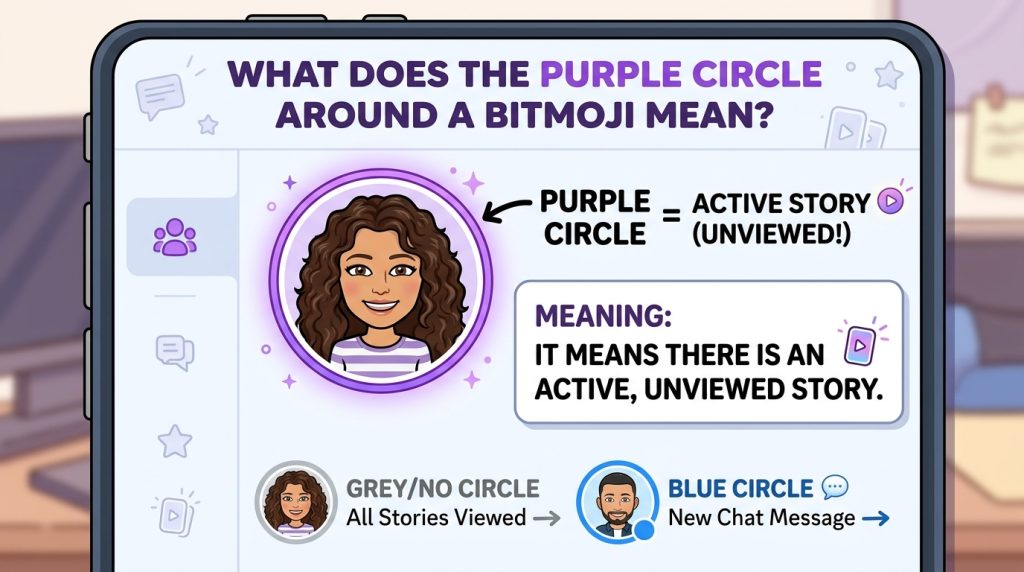
If you tap the Bitmoji, one of two things may happen:
- Snapchat opens the person’s Story.
- Snapchat opens its profile if you are not connected or cannot view the Story directly.
So if you see a purple ring around someone’s Bitmoji, think of it as a Story signal first — not a message, friend request, or online status.
What Does the Purple Circle With a Lock Mean?
A purple circle with a lock usually means the person posted a Private Story that you are allowed to view. The lock is the important part here.
A Private Story is not visible to everyone. The person who posted it chooses who can see it. If you see the lock, it usually means you are included in that selected audience.
Plain Purple Circle vs Purple Circle With Lock
| Symbol | Meaning |
| Plain purple circle | A regular Story is available to view |
| Purple circle with lock | A Private Story is available to view |
| Grey lock or faded ring | The Story may already be viewed or no longer fresh |
The lock does not mean you are blocked. It means the Story has a limited audience.
Who Can See a Private Story?
Only the people chosen by the person who created the Private Story can see it. If you can view it, you were included.
Other friends who were not selected will not see that Private Story. This is why two people may look at the same profile and see different Story indicators.
Where Does the Purple Circle Appear on Snapchat?
The purple circle can show up in different places across Snapchat. Its meaning is usually connected to Stories, but the placement helps explain the details.
Purple Circle in the Stories Section
This is the most common place to see it. In the Stories area, a purple circle usually means the person has posted a Story you have not watched yet.
Tap it, and the Story should play.
Purple Circle Around a Friend’s Bitmoji
When the circle appears around a friend’s Bitmoji, it usually means that friend has Story content available. If the ring is still purple, you likely have not finished watching it.
Purple Circle in Quick Add
If you see a purple circle around someone in Quick Add, it may mean that the account has a public or visible Story preview. Tapping it may open the Story or take you to the person’s profile.
This does not always mean they added you. Quick Add is mainly a suggestion area.
Purple Circle in the Added Me Section
If a purple circle appears near someone in Added Me, it may show that the person has Story content attached to their profile. The friend request and the Story indicator are separate things.
In simple terms, the circle points to content, while the Added Me section points to a friend request.
Purple Circle on a Profile Preview
A purple circle on a profile preview usually means there is a Story connected to that account. Depending on privacy settings, you may be able to view it directly or only see the profile.
What Happens When You Tap the Purple Circle?
When you tap the purple circle, Snapchat usually opens the Story connected to that profile.
If the Story is available to you, it should start playing. If it is a profile preview or suggested account, Snapchat may take you to the person’s profile instead.
After you watch the Story, the purple circle may disappear, turn grey, or look less highlighted. If there are multiple Snaps in the Story, the ring may remain until you finish watching all of them.
Does the Purple Circle Mean Someone Is Online?
No. The purple circle does not mean someone is online right now.
It usually means they posted a Story that you have not watched. The person may be active, offline, asleep, busy, or not using Snapchat at all when you see the circle.
If you want to understand activity status, Snapchat uses other signals, such as the green Activity Indicator in some places. The purple circle is not an online status icon.
Does the Purple Circle Mean Someone Added You?
No, the purple circle itself does not mean someone added you.
If you see a purple circle near someone in Quick Add or Added Me, it can be easy to confuse the two. But the ring usually points to Story content, while friend requests are shown through Snapchat’s add/request features.
Look for buttons or labels like:
Those tell you more about the connection. The purple circle tells you more about the Story.
Does the Purple Circle Mean They Sent You a Snap?
Not usually.
A purple circle around a Bitmoji or profile is usually about a Story. A Snap sent directly to you usually appears in Chat with a square or message-style icon.
The difference is simple:
| Symbol Type | What It Usually Means |
| Purple circle around profile | Story content |
| Purple square in Chat | Snap with audio/video |
| Blue chat icon | Chat message |
| Red Snap icon | Snap without audio |
So if you see a purple circle, think “Story.” If you see a purple square in Chat, think “Snap.”
Purple Circle vs Blue Circle vs Grey Circle on Snapchat
Snapchat uses colors to separate different types of content and status. The exact design may shift after updates, but the general idea is easy to understand.
| Circle Color | Common Meaning |
| Purple circle | New or unviewed Story |
| Blue circle | Often connected to Chat or friend-related Story placement, depending on the screen |
| Grey circle | The story may already be viewed, expired, or not currently fresh |
The main thing to remember is that purple usually points to something you have not watched yet. Grey usually feels less active or already viewed.
Purple Circle vs Purple Square: What’s the Difference?
The purple circle and purple square are easy to mix up, but they appear in different contexts.
A purple circle usually appears around a profile, Bitmoji, or Story preview. It tells you there is Story content to watch.
A purple square usually appears in the Chat/Friends area and is connected to a Snap, often a video or Snap with audio.
| Icon | Meaning |
| Purple circle | Story available |
| Purple square | Snap is available in Chat |
| Purple circle with lock | Private Story available |
If it is around a profile, it is probably a Story. If it is inside Chat as a square icon, it is probably a Snap.
Why Did the Purple Circle Turn Grey?
The purple circle may turn grey after you watch the Story. This usually means the content is no longer new for you.
It can also turn grey if:
Grey does not usually mean anything bad. It is often just Snapchat’s way of showing that the Story is no longer new or highlighted.
Why Is the Purple Circle Not Disappearing After Watching?
If the purple circle does not disappear after you watch a Story, there may be a simple reason.
Possible causes include:
- There are more Snaps left in the Story
- You exited before finishing the full Story
- Snapchat has not refreshed yet
- Your internet connection is slow
- The app needs to be restarted
- There is a temporary display glitch
Try watching the full Story, then close and reopen Snapchat. If the circle still stays, check for an app update or clear the cache from Snapchat settings.
Can You Turn Off the Purple Circle on Snapchat?
You cannot usually turn off the purple circle itself because it is part of Snapchat’s Story interface. It is designed to help you see when there is new Story content.
However, you can control what you see and who sees your own Stories.
You can:
- mute someone’s Story
- hide certain Stories from your feed
- unsubscribe from public profiles
- Manage Story notifications
- Adjust who can view your own Story
- Use Custom Story privacy settings
So while you may not be able to remove the purple circle completely, you can control your Story experience through Snapchat’s settings.
Can Someone See When You View Their Purple Circle Story?
Yes, in many cases, people can see who viewed their Story.
If you tap a purple circle and watch someone’s Story, your name may appear in their Story viewers list. This is normal Snapchat behavior.
This matters because viewing a Story is not always private. If you do not want someone to know you watched their Story, avoid tapping it.
For public profiles or creators, viewing details may work differently depending on the account type and Snapchat’s current features. But for normal friend Stories, assume your view can be seen.
Is the Purple Circle Different on Android and iPhone?
The meaning is generally the same on Android and iPhone. A purple circle still points to Story content in most cases.
What may differ is the design, placement, or refresh speed. Snapchat updates do not always look identical on every device at the same time.
Differences may happen because of:
- app version
- device type
- region
- Snapchat testing changes
- dark mode or display settings
- temporary app glitches
So if the purple circle looks slightly different on your phone compared to someone else’s, the meaning is usually still the same.
Is the Purple Circle a Privacy Warning?
No, the purple circle is not a privacy warning. It usually means a Story is available to watch.
The one privacy-related version is the purple circle with a lock, which points to a Private Story. But even that is not a warning. It simply means the Story is shared with a selected group of people.
The purple circle does not mean:
- Someone is tracking you
- someone is online
- Someone screenshotted your content
- Someone blocked you
- Someone sent a secret message
It is mainly a Story indicator.
Common Mistakes People Make About the Purple Circle
The purple circle looks simple, but users often read too much into it. Here are the most common misunderstandings.
Thinking It Means Someone Is Active Now
The purple circle does not mean the person is currently online. It means they have Story content available. They may have posted it earlier and left the app.
Confusing It With a Private Message
A purple circle is usually not a private message. Direct Snaps and Chats appear in the Chat screen with different icons.
Thinking the Lock Means You Are Blocked
A lock does not mean you are blocked. It usually means the person posted a Private Story and included you in the audience.
Assuming It Means Someone Added You
The purple circle is not a friend request signal. If someone added you, Snapchat will show that through the add/request options, not only through a purple ring.
What to Do If the Purple Circle Looks Wrong
If the purple circle looks wrong, does not disappear, or appears where you do not expect it, try basic troubleshooting.
Use these steps:
- Watch the full Story.
- Close Snapchat and reopen it.
- Check your internet connection.
- Update Snapchat from the App Store or Google Play Store.
- Clear Snapchat cache from settings.
- Restart your phone.
- Check whether the Story is private, public, or from a suggested profile.
Most icon issues are temporary. Snapchat’s interface refreshes often, so a small delay does not always mean something is wrong.
Frequently Asked Questions
Final Thoughts
The purple circle on Snapchat usually means there is a Story you have not watched yet. It is not an online status, a private message, or proof that someone added you.
If the circle has a lock, it usually points to a Private Story. If it is a square instead of a circle, it likely relates to a Snap in Chat.
The easiest rule is this: a purple circle means Story first. Look at where it appears before assuming anything else.